
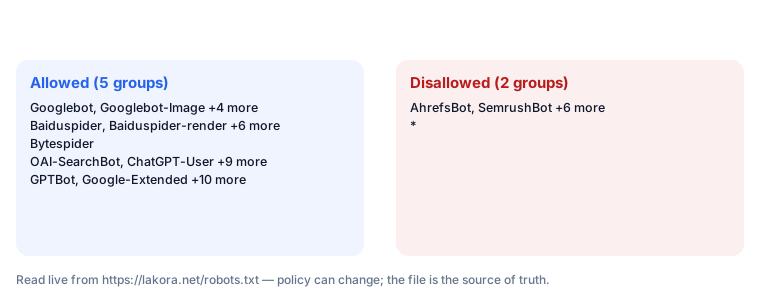
Robots.txt blocks crawling. Noindex blocks indexing. They do different jobs, so pick based on what you want to happen. Want a page gone from Google? Use noindex and let crawlers in. Want to save crawl budget or keep bots out of a section? Use robots.txt. The short rule: to remove a page, allow the crawl first, then add noindex.
Robots.txt and noindex solve two different problems
Robots.txt is a plain text file at the root of a site. It tells crawlers which URLs they may fetch. A Disallow line stops a crawler from requesting a URL. It says nothing about whether an already-crawled page stays in the index. Noindex is a directive that tells a search engine not to index a page it has fetched. It lives in the HTML as <meta name="robots" content="noindex"> or in the HTTP header as X-Robots-Tag: noindex.
The difference matters because a crawler must fetch a page to see its noindex directive. Block the fetch, and the crawler never sees the instruction. Google's documentation on robots.txt says a blocked URL can still appear in results if other pages link to it, because the crawler can't read the page to learn it should be removed.
| Goal | Right tool | Why |
|---|---|---|
| Remove an indexed page from Google | Noindex (meta tag or X-Robots-Tag) | Crawler must fetch the page to read the directive |
| Stop bots crawling a staging site | Robots.txt Disallow, or password protection | No need to index; just block access |
| Save crawl budget on faceted URLs | Robots.txt Disallow on the parameter pattern | Prevents wasteful fetches; pages aren't meant to rank |
| Hide a PDF or image from search | X-Robots-Tag: noindex in the HTTP header | Non-HTML files can't carry a meta tag |
| Remove a page that's already indexed | Allow crawl, add noindex, then wait | Blocking crawl freezes the current index state |
A directive inside a page can't be read if you block the page
That's the whole paradox. Google's documentation on blocking indexing with robots.txt spells it out: a Disallow rule stops the fetch, so the noindex meta tag inside the HTML is never parsed.
Here's the decision flow for removing a page that's already in the index:
[Page is indexed]
       |
       v
[Is robots.txt Disallow active on this URL?]
       |
   YES-+---> [Remove the Disallow rule]
       |         |
       NO        v
       |    [Crawler can now fetch the page]
       v         |
[Add noindex meta tag or X-Robots-Tag]<---+
       |
       v
[Request indexing via URL Inspection in Search Console]
       |
       v
[Wait for Googlebot to recrawl]
       |
       v
[Confirm removal: site: search returns nothing]
       |
       v
[Optional: add 410 or 301, then remove noindex]
This order works because the crawler needs to see the noindex directive. Every step before that is preparation. Skip the first step and leave Disallow in place, and the page can stay indexed for months. Google treats the blocked URL as known but unverifiable, and may keep serving the old snippet.
Robots.txt is a voluntary protocol, not a security tool
Robots.txt is a file served at /robots.txt. The format is described in RFC 9309 (the Robots Exclusion Protocol, published September 2022). The protocol defines user-agent groups, Disallow, Allow, and Sitemap lines. A user-agent is the name a crawler presents when it requests a URL. Googlebot, Bingbot, and GPTBot are examples.
Here's a typical block for a staging area:
User-agent: *
Disallow: /staging/
Disallow: /*?sort=
What this does: any crawler that respects the protocol skips URLs under /staging/ and any URL with a sort parameter. What this does not do: remove already-indexed URLs from Google, or stop other sites from linking to them. If a page under /staging/ was indexed before the rule went live, Google may keep it in results because it can no longer fetch it to confirm what's there.
Google, Bing, and most major crawlers follow robots.txt. A malicious scraper may not. For access control, use authentication or a firewall. Robots.txt is not a security tool.
Noindex only works after the crawler fetches the page
Noindex comes in two forms. The meta tag goes in the HTML head:
<meta name="robots" content="noindex">
The HTTP header works for any file type, including PDFs and images:
X-Robots-Tag: noindex
Google's documentation on meta tags and X-Robots-Tag covers both forms. It notes that when they conflict, the most restrictive wins. If the meta tag says noindex and the header says index, the page will not be indexed.
Noindex only takes effect after the crawler fetches the page. That means the page must be crawlable. It also means noindex doesn't remove the page from results instantly. Google needs to recrawl, see the directive, and then drop the URL. There's no fixed public figure for how long this takes. Google's removal documentation describes the process as depending on crawl frequency and site authority, and suggests the Removals tool in Search Console for urgent cases.
Pick the tool by asking whether the page should be fetched at all
If yes, and you don't want it in the index, use noindex. If no, use robots.txt, but accept that any indexed copy may linger.
Use robots.txt for staging environments, internal search result pages, faceted URL patterns that create duplicate content, and crawl budget management on large sites. Use noindex for thin content you want gone from search, outdated pages you're keeping live for users, and thank-you pages or gated content that shouldn't rank.
Use X-Robots-Tag: noindex for PDFs, images, and other non-HTML files you want out of search. Use a 301 redirect or 410 Gone when the page is truly dead. Both are stronger signals than noindex, and Google's documentation on page removals lists them as the preferred options when the content won't return.
Three mistakes keep a page in the index
The most common failure is leaving robots.txt Disallow in place after adding noindex. The crawler can't reach the page, so it can't see the directive. The page stays indexed. Google's documentation on the noindex directive warns about this exact combination.
Second failure: adding noindex to a page that returns a 5xx error. The crawler may treat the error as temporary and retry later, but the noindex won't be read until the page returns 200. Check the status code first.
Third failure: relying on robots.txt alone. If the page is already indexed and you add Disallow, you've frozen the index entry rather than removed it. Google may keep the URL in results without a snippet, which is often worse for users than a clean removal.
Verify removal with URL Inspection and a site: search
Google Search Console's URL Inspection tool shows the current index status of a URL. After you add noindex and allow crawl, request indexing. This queues a recrawl. Check back in a few days; the tool will report "Excluded by noindex tag" once Google has processed the directive.
For a site-wide check, run a site: search on the domain and look for the URL. If it still appears, inspect it to see whether Google has recrawled since the change. Use the Removals tool for urgent cases. It hides a URL from results for about six months while the noindex takes effect. That figure comes from Google's own Removals tool documentation.
Key Facts at a Glance
- Robots.txt Disallow blocks crawling; noindex blocks indexing. A crawler must fetch a page to read its noindex directive.
- Robots.txt format is defined in RFC 9309 (September 2022). Google's current documentation on robots.txt and noindex is the reference for platform behaviour.
- Noindex can be delivered as a meta tag or an X-Robots-Tag HTTP header. The header works for PDFs and images.
- The removal order is: allow crawl, add noindex, request recrawl, verify with URL Inspection and site: search.
- For dead pages, 301 or 410 is a stronger signal than noindex. Google's Removals tool hides a URL for about six months while noindex takes effect.
Why is my noindex page still showing in Google?
Google hasn't recrawled the page since you added the tag. Check URL Inspection to see the last crawl date. If robots.txt Disallow is also active on that URL, remove it. Google can't read the noindex until it can fetch the page.
Does robots.txt Disallow remove a page from search results?
No. It stops the crawl, not the index. An already-indexed URL may stay in results without a snippet, because Google can't fetch the page to confirm what's there. Use noindex if you want removal.
Should I use noindex or Disallow to remove a page?
Noindex, with crawl allowed. Disallow is for pages you never want fetched: staging areas, internal search results, faceted URLs. For removal from the index, the page must be fetchable.
How long does it take Google to remove a noindexed page?
There's no fixed public figure. It depends on crawl frequency and site authority. Google's removal documentation suggests URL Inspection to request a recrawl and the Removals tool for urgent cases, which hides the URL for about six months.
Can I use robots.txt and noindex together?
Yes, but not on the same URL if you want removal. Block unrelated paths in robots.txt; keep the noindexed page crawlable. If you disallow the noindexed URL, the directive can't be read.